
MiniMax H3-Image Review: Native 4K and Up to 16 Reference Images

MiniMax H3-Image review covering native 4K, up to 16 reference images, APPSO examples, generation speed, and the details that still need human review.
MiniMax H3-Image belongs on the shortlist for high-resolution visual creation. It supports native 4K output, text-to-image generation, and editing with up to 16 reference images. That makes it relevant to creators exploring complex compositions and styles. The key is how those capabilities serve the image: layered components, text placement, and the atmosphere created by light.
Official specifications as of November 2026 and APPSO's published examples show different approaches to diagrams, posters, and photographic styles. An image can look complete and still need work before delivery. That gap is central to evaluating these examples.
Native 4K Detail and Generation Time
H3-Image's native 4K includes square output at 4096×4096, or roughly 16 million pixels. The official model card says it generates this size directly, without an upscaler. Here, 4K describes an image specification. It should not be confused with the 3840×2160 dimensions common in video.
Each capability needs to be understood on its own terms:
| Capability | Known information | What to check |
|---|---|---|
| Native output | 4096×4096, about 16MP | Usable detail after cropping |
| Reference editing | Up to 16 reference images | A clear role for each image |
| Generation speed | Official: under 10 seconds; APPSO: 10–20 seconds | Conditions versus actual waiting time |
Pixel count, input limits, and generation time answer different questions. Together, they do not guarantee image quality.
More pixels may leave room for cropping and rearranging a layout. That matters more than a thumbnail for designs that need both landscape and portrait versions. Enlarging the image also makes awkward text breaks and component connections easier to see.
The speed figures deserve separate readings, too. MiniMax's official announcement says a 4096×4096 image can be generated in under 10 seconds. APPSO's experience records 10–20 seconds. Neither figure represents a fixed waiting time for every generation.
From a Coffee Machine Exploded View to a Phoenix Poster
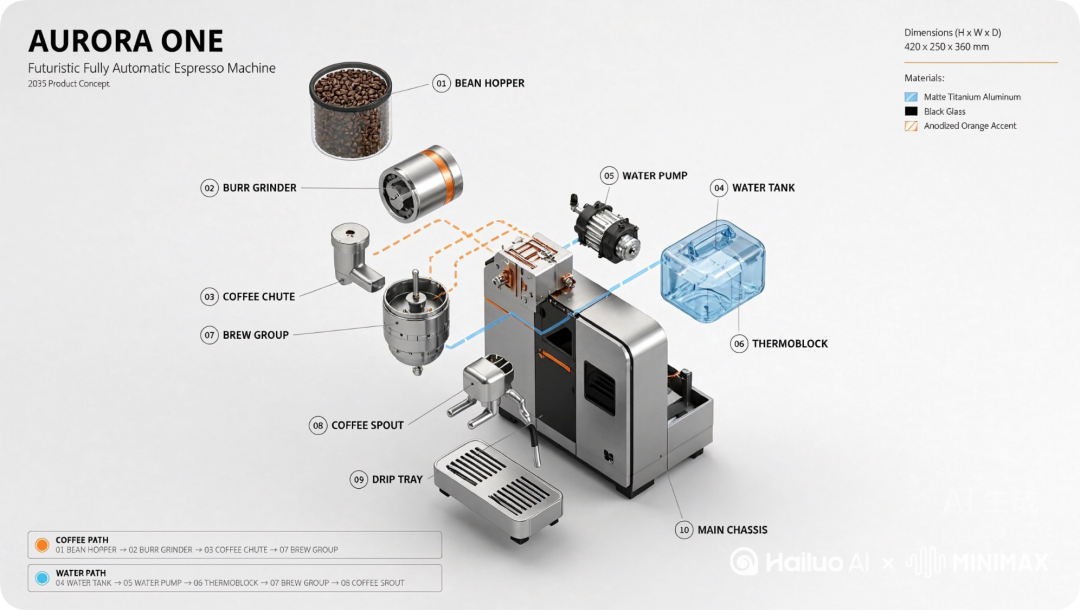
The coffee machine exploded view shows H3-Image organizing dense design requirements into an image with a clear reading order. APPSO's task included a bean hopper, grinder, brewing module, water tank, and connections between the parts.
The strength of this image is its layering. The upper bean hopper, suspended grinder assembly, and right-hand water tank spread out around the body. Numbered labels guide the eye to individual components. Orange and blue paths add another visual cue. Metal, the transparent tank, and the pale background remain distinct. There are many parts, but they are not all crowded together.
This approach helps communicate a product concept and its main features. It does not make the image a validated engineering drawing. Continuous paths do not establish that the internal connections make sense or that the machine could be manufactured from this drawing. Its first value is making complex content easier to discuss.
At a smaller size, check whether the overall hierarchy remains clear. Enlarge it to see whether labels and components need revision. More parts do not automatically make information easier to understand.
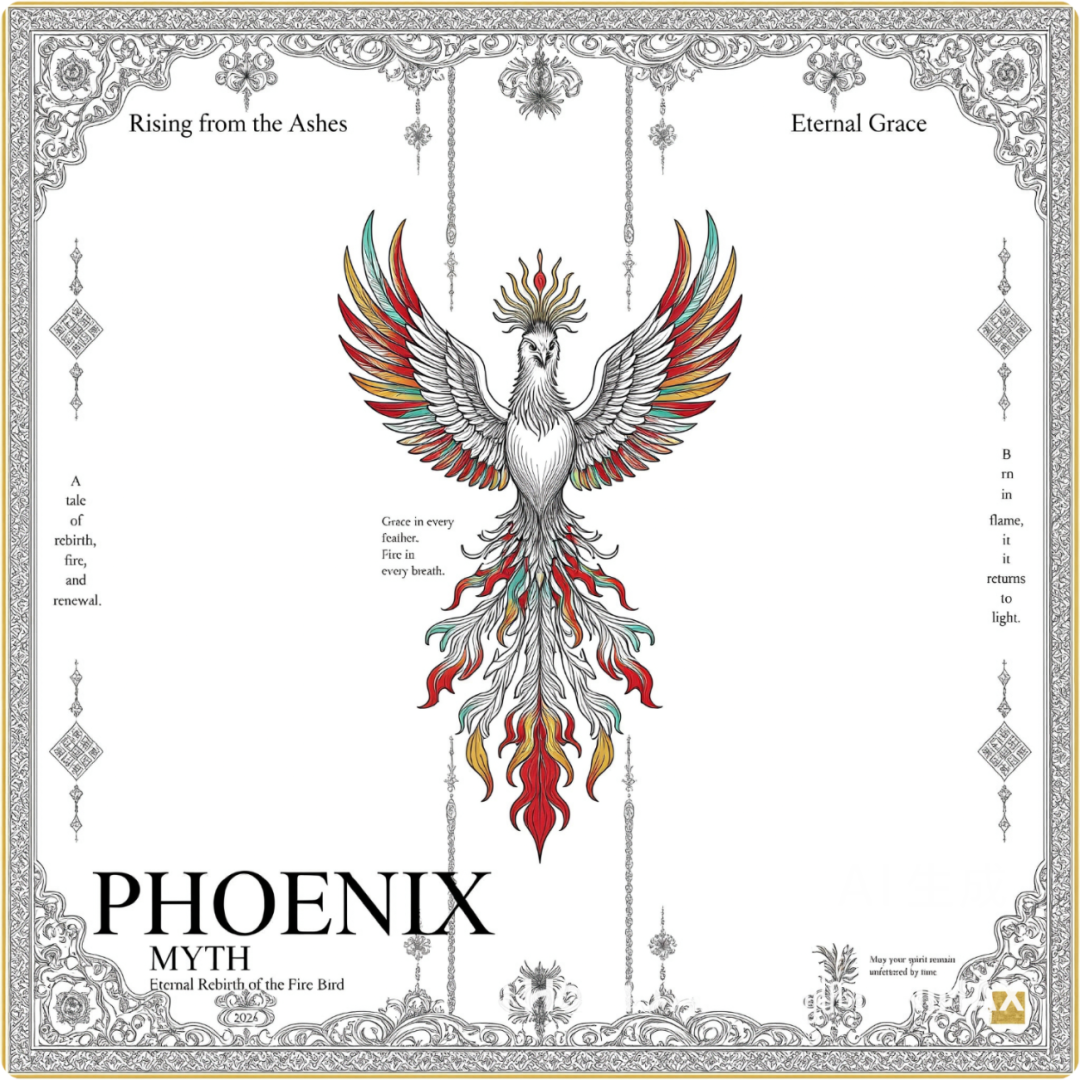
The phoenix poster shifts attention to the relationship between imagery and text. Red, gold, and cyan wings fill the center. Dense decorative borders frame the composition, while generous blank space gives the ornament room to breathe. The “PHOENIX MYTH” title at the lower left is clearly legible, with a distinct hierarchy of text sizes.
The small text is another matter. Text along the sides breaks into unnaturally short lines. Fine print at the bottom also needs careful proofreading. As a poster concept, the image supports discussion of color, borders, and visual balance. For a finished design, a readable title cannot replace checking every word.
Style Across Racing Horses, Direct-Flash Portraits, and Scene Concepts
H3-Image's stylistic range is worth examining through combinations of movement, light, and materials. For its aesthetics examples, APPSO selected Midjourney images it liked. It then asked ChatGPT to describe their composition, lighting, and materials in text prompts for H3-Image. No reference images were supplied as additional inputs for this group. These examples show the translation of written descriptions, rather than a multiple-reference test.
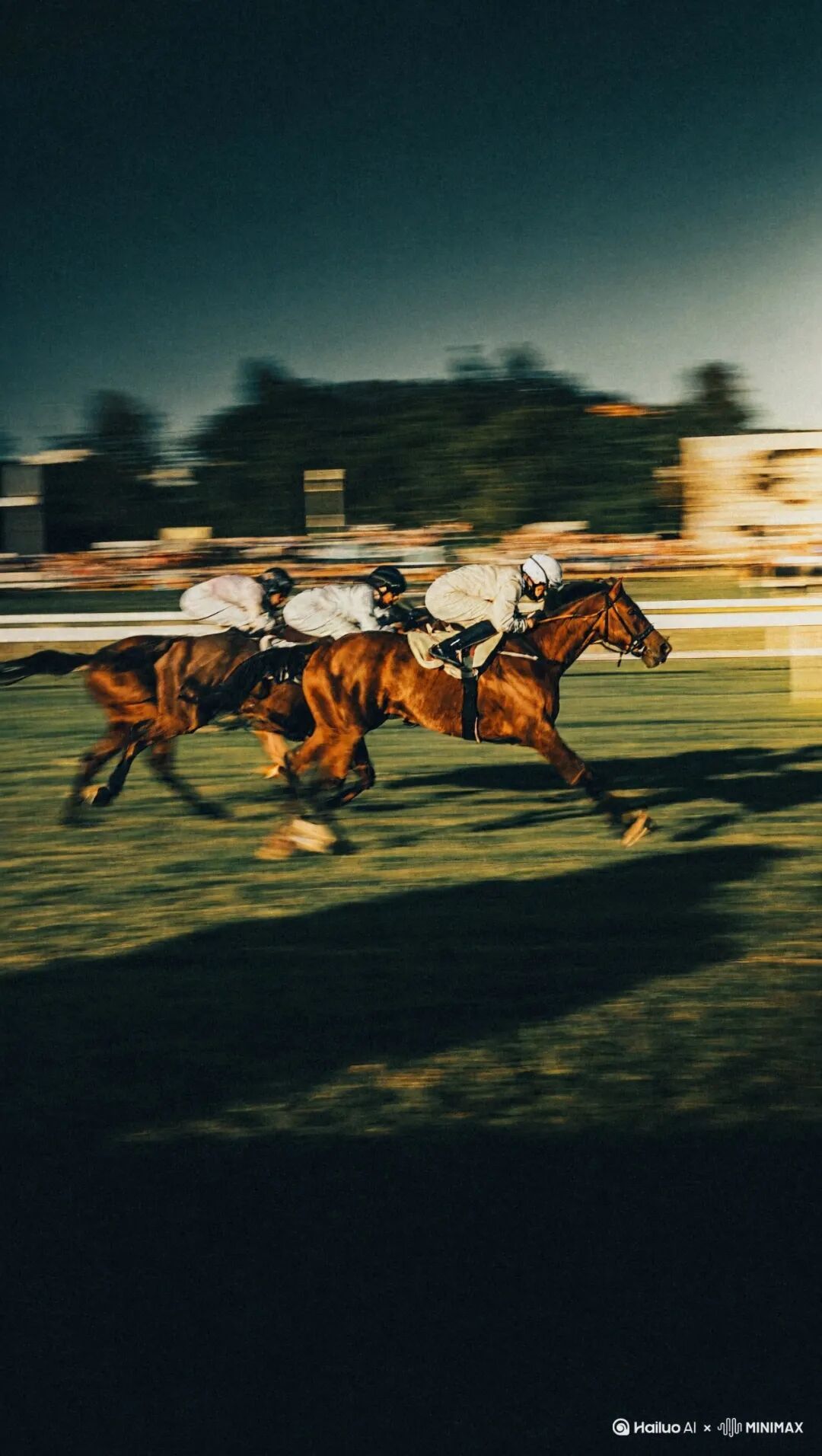
The horse racing image creates speed through the distribution of sharpness and blur. Horses and riders extend across the frame. Trees and fences in the background stretch into motion trails. Warm light falls on the horses, while a dark foreground anchors the lower frame and emphasizes the subjects. The useful idea for sports imagery is the pairing of motion trails with clear subjects.
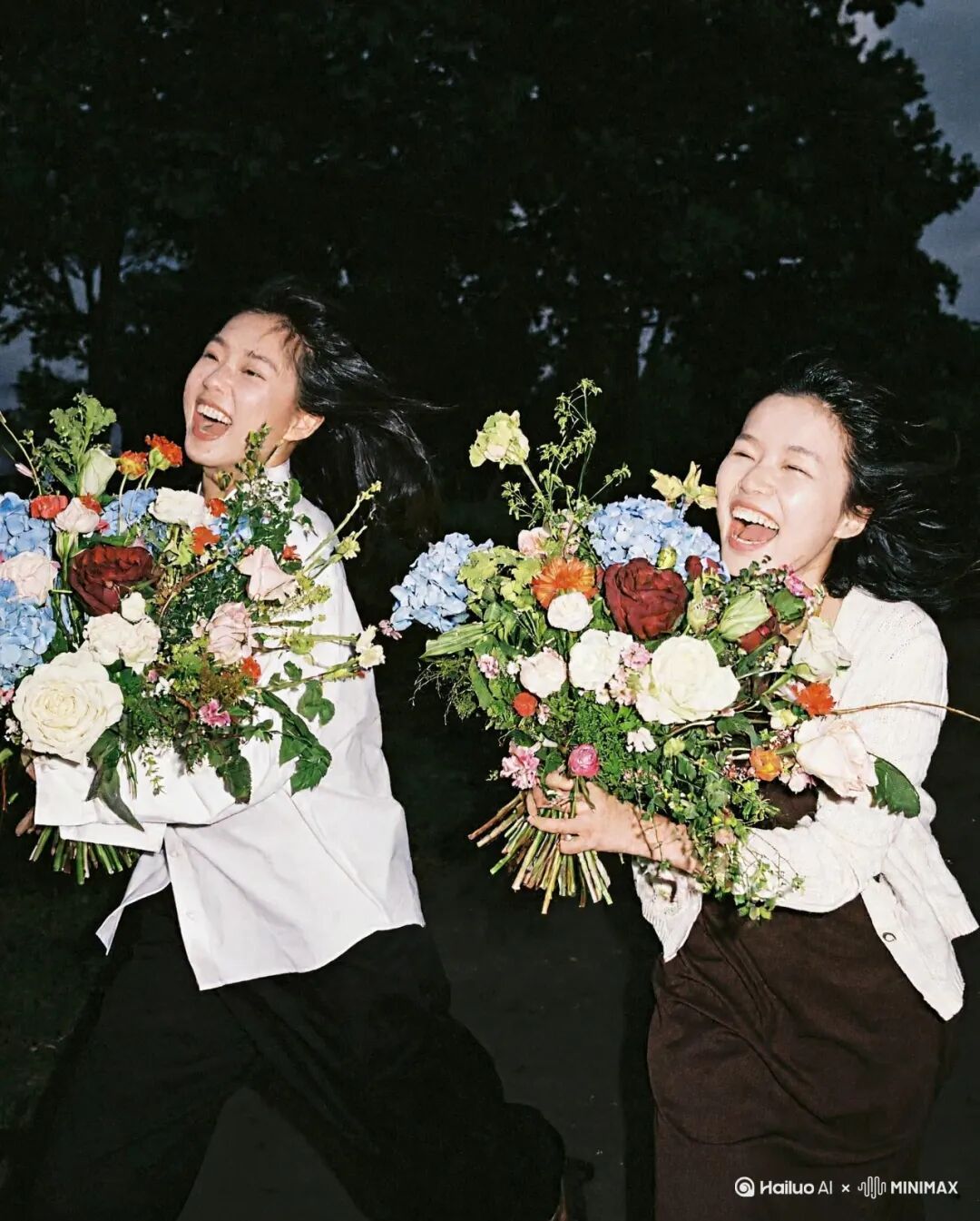
The portrait of two people takes a different approach. Direct flash lights their faces, pale clothing, and bouquets against a dark background. Flowers, fabric, and hair have different surface textures. Their laughter loosens an otherwise upright pose. This generated image offers a mood reference for lifestyle or fashion visuals. The key question is whether the lighting and the subjects' expressions work together.
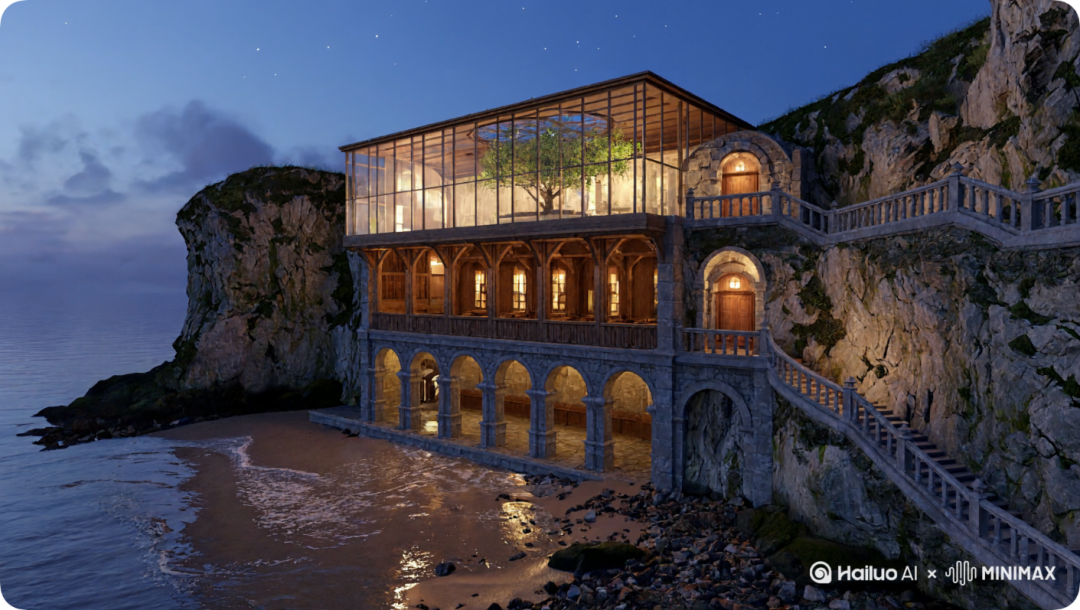
The cliffside library is another scene example in the article. Warm lights connect its multiple levels. A blue-purple sea and rock face frame the building's outline. Glass, timber, and stone arches give the upper and lower floors distinct visual roles. The focus of this scene concept is how lighting works with space.
Up to 16 References Need Clearly Defined Roles
H3-Image's allowance of up to 16 reference images is an input limit. It leaves room for tasks with several visual requirements. It does not mean that every element in every image will be preserved completely.
For a product concept, different angles can describe the shape, close-ups can convey materials, and scene images can establish the setting. The point is to assign roles. Specify which image determines the shape, which supplies only color, and which backgrounds should be excluded. More references make clear instructions more important.
The goal should determine the number of references. Conflicting images can make the creative requirements themselves difficult to interpret. When product accuracy matters, start with the essential material. The upper limit provides options; there is no need to fill every slot.
Reference editing also involves choosing what to preserve and what to change. Keeping a shape while exploring backgrounds is different from borrowing only a color palette. Separate those goals to judge whether the result continues the source material or retains only its general style.
Suitable Creative Tasks and Details That Still Need Human Review
H3-Image fits concept exploration, poster directions, and the selection of high-resolution visual assets. The coffee machine image organizes complex information. The phoenix poster explores ornament and blank space. The photographic and scene examples offer specific style directions. Each example has a different value.
More precise delivery requirements call for more specific checks. Proofread text word by word, inspect object connections for the task, and compare brand details with the original material. For product features that must remain intact, establish reliability with one real assignment before adding the model to later work.
Editing limits also affect the choice. The current official service documentation lists preview images, mask editing, and transparent backgrounds as unsupported. If a task needs changes to a specific region or transparent assets, account for those requirements early in production planning.
H3-Image deserves consideration for complex, high-resolution compositions or a distinctive style. For precise final work, make text, structure, and consistency with source material acceptance criteria before deciding whether to use the result.
About the author
Neo James
Founder of ReelDanceNeo James is the founder of ReelDance and specializes in AI video generation products. He brings years of experience building AIGC products, with a focus on practical creative workflows.